[Arcade 개발일지] Arcade 백엔드를 통합하여 LiveOps 시작하기
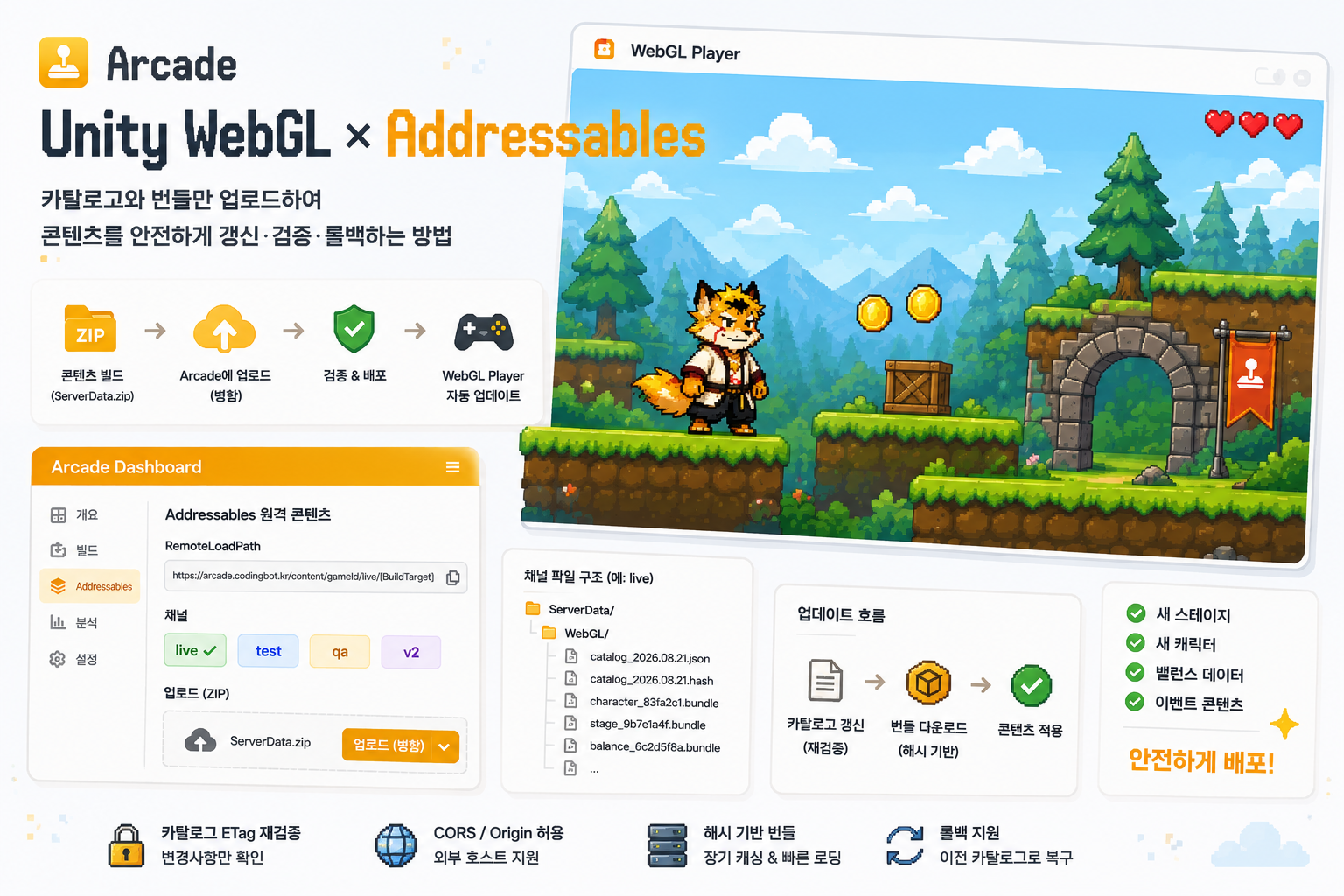
ArcadeSdk를 게임에 통합하여 LiveOps를 위한 여러 기능들을 게임에 도입하는 방법에 대해 알아봅니다.
아직 이전 글을 읽지 않으셨다면, 잠깐 읽고 오시는 것도 어떠신가요? 👉 이전 글
Legacy API 사용 방법
Legacy API에서는 익명 글로벌 리더보드와 동적 JSON 기능을 제공합니다. 게임 플레이에 계정이 필요 없다는 장점이 있지만, 신규로 통합하신다면 SDK v2를 권장합니다.
대시보드에서 시크릿 생성
스크린샷 2026-08-12 233659.png
스크린샷 2026-08-12 233732.png
게임 대시보드 내 LiveOps 탭 > LiveOps 연동 활성화 > Legacy API 선택 > 시크릿 재발급을 눌러 서버와 게임이 공유하는 시크릿 키를 생성합니다.
ServerBridge.cs 코드 생성
스크린샷 2026-08-12 233842.png
스크린샷 2026-08-12 234104.png
LiveOps 페이지 하단의 코드 생성기를 이용해 게임에 손쉽게 통합할 수 있는 ServerBridge.cs 헬퍼 스크립트를 생성하고, 유니티 프로젝트에 추가하세요.
메인 씬에 배치
스크린샷 2026-08-12 234357.png
타이틀 씬, 또는 최초로 백엔드 기능이 필요한 위치에 빈 게임 오브젝트를 만들고 ServerBridge 컴포넌트를 추가하세요. ServerBridge.cs는 싱글턴 패턴을 활용합니다. 계층 구조상 루트에 두어야 DontDestroyOnLoad()가 올바르게 작동하니 유의해주세요!
필요한 곳에서 싱글턴 인스턴스 호출
스크린샷 2026-08-12 234749.png
통합 가이드 영역을 확인하여 서버 브릿지 인스턴스에서 어떻게 데이터를 가져올 수 있는지 확인하세요.
예제: 리더보드 데이터 조회 (Recoil Defense)
cs public class LeaderBoard : MonoBehaviour //리더보드 UI 코드 예제 { [SerializeField] private List leaderboardEntries;
// Start is called once before the first execution of Update after the MonoBehaviour is created void Start() { if(leaderboardEntries == null) { Debug.LogError("Leaderboard entries list is not assigned in the inspector."); return; }
if(ServerBridge.Instance == null) //서버브릿지 인스턴스가 존재하는지 먼저 확인하세요. { Debug.LogError("ServerBridge instance is not available."); return; }
ServerBridge.Instance.GetLeaderboard("scoretop10", (success, entries) => { if (success) { Debug.Log("Leaderboard fetched successfully!"); foreach (var (entry, index) in entries.Select((value, i) => (value, i))) { leaderboardEntries[index].SetEntry(entry.rank, entry.name, entry.score); } } else { Debug.LogError("Failed to fetch leaderboard."); } }); } }
예제: 웨이브 데이터 동적 로드 (Recoil Defense)
cs private IEnumerator FetchServerWavesRoutine() { bool responded = false; bool ok = false; string json = null;
ServerBridge.Instance.GetConfig(serverWavesConfigKey, (success, text) => { responded = true; ok = success; json = text; });
while (!responded) { yield return null; }
if (!ok || string.IsNullOrEmpty(json)) { Debug.Log($"StageController: server waves fetch failed for key '{serverWavesConfigKey}', using local Waves."); yield break; }
WaveCollectionDto dto = JsonUtility.FromJson (json); if (dto == null || dto.Waves == null || dto.Waves.Length == 0) { Debug.LogWarning($"StageController: server waves JSON for key '{serverWavesConfigKey}' parsed to an empty wave list, using local Waves."); yield break; }
waves = Array.ConvertAll(dto.Waves, waveDto => Wave.FromDto(waveDto, ResolveEnemyPrefab)); Debug.Log($"StageController: applied {waves.Length} wave(s) from server config '{serverWavesConfigKey}'."); }
SDK v2 이용 방법
SDK v2는 계정 기반 인증을 사용하여 계정 기반 리더보드, 동적 JSON 기능, 클라우드 세이브/로드 기능을 제공합니다.
대시보드에서 SDK v2 활성화
image.png
게임 대시보드 내 LiveOps 탭 > LiveOps 연동 활성화 > SDK v2를 선택합니다.
Arcade SDK 코드 및 플러그인 생성
image.png
image.png
SDK v2는 총 두 가지 파일을 사용합니다: ArcadeSdk.cs와 ArcadeSdk.jslib
ArcadeSdk.cs는 유니티 프로젝트 내 아무 곳에나 추가하고, ArcadeSdk.jslib은 Assets/Plugins/WebGL/ 경로에 추가합니다.
유의하세요 ArcadeSdk.jslib 는 반드시 Assets/Plugins/WebGL/ 폴더 안에 있어야 합니다.
메인 씬에 배치 및 개발 테스트용 토큰 적용
image.png
타이틀 씬(권장) 또는 최초로 온라인 기능이 필요한 씬에 이름이 ArcadeSdk인 빈 게임 오브젝트를 만들고 ArcadeSdk 컴포넌트를 추가하세요.
image.png
LiveOps 대시보드에서 에디터 개발 토큰을 발급받고 토큰을 복사하세요.
image.png
- (가장 권장) EditorPrefs의 ArcadeSdk.DevToken 항목에 토큰을 저장하세요.
- 또는 ArcadeSdk 컴포넌트의 인스펙터 필드에 개발용 토큰을 입력하세요. 단, 공개 저장소에 이를 커밋하면 그대로 노출되니 주의하세요. (이 경우 반드시 EditorPrefs를 이용하세요.)
필요한 곳에서 적용
image.png
기능별 사용 예제 코드를 확인하여 필요한 곳에서 적용해보세요.
예제: 클라우드 세이브 / 로드 (Land Linker)
cs /// /// 게임 데이터를 비동기로 읽습니다. WebGL과 에디터에서는 ArcadeSdk를 사용하고, /// 그 외 플랫폼에서는 기존 로컬 파일을 읽은 뒤 콜백을 즉시 호출합니다. /// public static void LoadGameDataAsync( string filePath, Action onComplete = null) { #if UNITYWEBGL || UNITYEDITOR var sdk = ArcadeSdk.Instance; if (sdk == null) { CustomDebug.LogError("[Utils.IO] ArcadeSdk 인스턴스를 찾을 수 없어 클라우드 세이브를 읽지 못했습니다."); Complete(onComplete, false, null); return; }
sdk.LoadSave(CloudSaveSlot, (ok, save) => { if (!ok || save == null || string.IsNullOrEmpty(save.data)) { CustomDebug.LogWarning("[Utils.IO] 클라우드 세이브가 없거나 읽지 못했습니다."); Complete(onComplete, false, null); return; }
try { var loadedData = JsonConvert.DeserializeObject (save.data); Complete(onComplete, loadedData != null, loadedData); } catch (Exception e) { CustomDebug.LogError($"[Utils.IO] 클라우드 세이브를 읽는 중 오류가 발생했습니다: {e.Message}"); Complete(onComplete, false, null); } }); #else var loadedData = LoadGameData(filePath); Complete(onComplete, loadedData != null, loadedData); #endif }
![[Arcade 개발일지] LiveOps와 함께 게임에 생명을](https://images.unsplash.com/photo-1573164713988-8665fc963095?crop=entropy&cs=tinysrgb&fit=max&fm=jpg&ixid=M3w5NjEyMDZ8MHwxfHNlYXJjaHw5fHxTZXJ2ZXJ8ZW58MHx8fHwxNzg2NTQ0ODYzfDA&ixlib=rb-4.1.0&q=80&w=1080)